Book a free integration demo
The daily friction your team shouldn't have to deal with
These are the problems teams tell us about before they connect 3CX to Zenoti
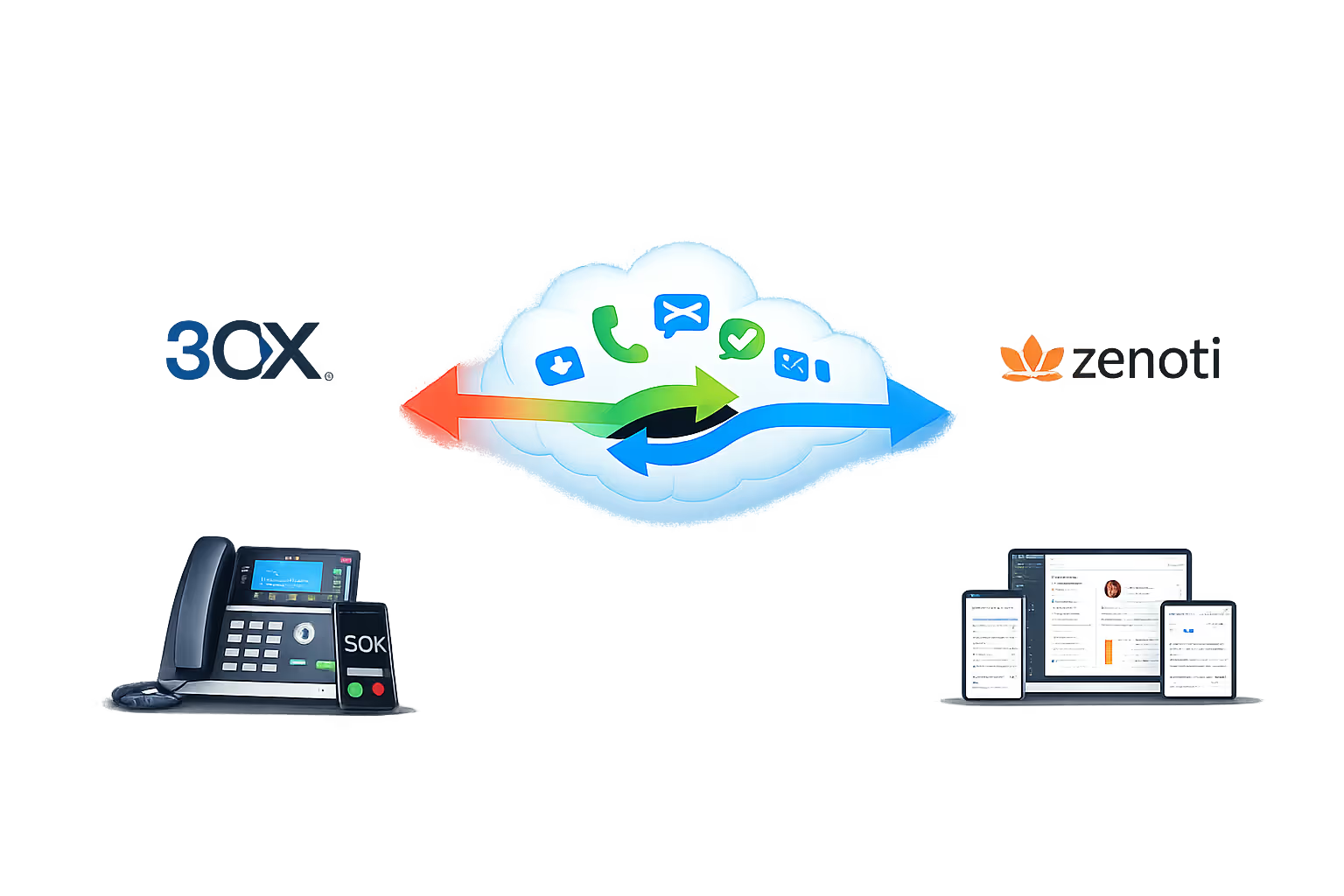
Key features of the Zenoti & 3CX integration
Every feature below works with 3CX, across desk phones, the 3CX Web Client, and the 3CX mobile app.
Automatic call logging
Every inbound and outbound call is automatically logged against the matching Zenoti contact, capturing timestamp, duration, direction, and outcome. No manual entry. No missed interactions.
Live screen pops on inbound calls
The moment a call arrives, Zenoti opens the caller's record, showing their details, tags, campaign history, and notes. Your team knows who's calling and why before they say a word.
Click-to-call from any Zenoti record
Dial any contact or lead directly from their Zenoti record with one click. No mis-dials, no copy-pasting, just click and the call connects through 3CX.
Caller identification for unknown numbers
When a call comes in from a number not yet in Zenoti, your team is alerted. A new contact can be created on the fly, or the number enriched while still on the call.
Call recordings linked to Zenoti
Recordings are attached to the call log in Zenoti. Managers can review conversations, resolve disputes, and coach your team, all without leaving the platform.
Task and follow-up creation
Create follow-up tasks, reminders, or callback notes in Zenoti directly from a call, so nothing is left to memory and every commitment is tracked.
Missed call alerts with Zenoti context
When a call is missed, your team gets an alert that includes the caller's Zenoti record, so they know immediately who it was and whether a quick callback is needed.
Works across office and remote staff
Whether your team is in the office, at home, or on the move, the integration works the same via 3CX web client and mobile app. Screen pops and call logging follow the user, not the desk.
Built for every role in your support team
From consultants to operations: screen pops, call logging, and click-to-call work the same for everyone.

Front desk and reception
See client and appointment context the moment the phone rings. Click to call from the client or appointment record. Every call logged automatically, with no post-call admin.

Staff and therapists
Instantly see whether an inbound call is from an existing client, a new enquiry, or someone chasing a booking, and what they're linked to in Zenoti. Log calls and follow-ups without leaving the platform.

Location and team managers
Every call, booking, and follow-up is logged against the right record. Missed calls are flagged with full Zenoti context so nothing slips.

Operations & management
See call activity inside Zenoti. Track which clients are being contacted, review recordings when needed, and measure team performance without chasing spreadsheets.
Trusted by UK businesses who take security seriously
Government-backed certification | In-house cyber specialists | Fast turnaround


"Before the integration, our front desk was spending the first few minutes of every call pulling up the right client or appointment in Zenoti. Now the screen pop shows who's calling before we answer. Call logging is automatic. We've easily saved each person half an hour a day, and our Zenoti client and appointment data is finally in sync with our calls."
Operations Director, UK spa and wellness business
Stats
How we performed in 2025
Based on typical results reported by staffing agencies after connecting 3CX to Zenoti
Client satisfaction score
First contact resolution
Average time to resolution
Experience
How we set it up: from demo to go-live
We handle the full integration. You don't need an in-house developer or IT team.
Discovery call (30 min)
We review your 3CX setup, your Zenoti usage (contacts, campaigns, workflows), and what you want to automate. We confirm compatibility and set a clear timeline.

Integration & configuration
We connect 3CX to Zenoti and configure screen pops, call logging fields, click-to-call, contact sync, and any task-creation rules.

Testing across all scenarios
We test inbound calls from known contacts, unknown numbers, missed calls, outbound calls, and remote/mobile, verifying every log entry in Zenoti before sign-off.

Training & handover
We walk your team through the new workflow. Most teams are confident within an hour. We provide a quick-reference guide for new starters.

Ongoing support
Our UK-based team is available after go-live. We monitor 3CX and Zenoti for updates that could affect the integration and handle them before they become your problem.

What you need to get started
The prerequisites are minimal. We'll confirm everything on the discovery call.
3CX phone system (on-premises, cloud, or 3CX StartUP)
Zenoti account with API or integration access
3CX Web Client or mobile app for click-to-call and screen pops (desk phones also supported)
Not yet on 3CX? We can supply and configure 3CX alongside the Zenoti integration as a single project. Get in touch to discuss.
Trusted by businesses across the UK
FAQ
Zenoti & 3CX phone system questions
Answers to the questions UK businesses ask us most about Zenoti & 3CX phone system integration.
Does Zenoti support phone system integration?
Yes. We connect Zenoti to your 3CX phone system through a custom integration, so every call links to the right guest. You get real-time contact sync, automatic call logging, screen pops and click-to-call, captured in Zenoti.
Which phone systems work with Zenoti?
We specialise in connecting 3CX to Zenoti, which suits spas, salons and clinics handling bookings and guest calls. On a different phone system? Tell us what you run and we'll look at custom options.
Which Zenoti features does the integration support?
It works with your Zenoti guests, appointments and memberships. We link screen pops, call logging and click-to-call to the records your front desk uses, so a caller's history and bookings are right there when the phone rings.
How long does setup take?
Most Zenoti and 3CX integrations go live within one business day. We configure and test everything, so it never becomes a big IT project for your team.
Will existing Zenoti data be affected?
No. The integration only adds new call logs and activity. Your existing Zenoti guests, appointments, memberships and history stay exactly as they are.
Does it work for remote and mobile staff?
Yes. As long as your team uses the 3CX web client or mobile app, screen pops and call logging work the same across reception and treatment areas. The integration follows the user, not the desk.
What if we change phone systems later?
Your Zenoti data and call history stay in Zenoti. If you ever move off 3CX, we'll help you reconnect a new phone system so you keep continuity.
Connect 3CX to Zenoti
0333 370 7000
Mon-Fri 8am-5pm
[email protected]
Response within 1 business day, guaranteed
United Kingdom
UK-based team, since 2012