Book a free integration demo
The daily friction your team shouldn't have to deal with
These are the problems teams tell us about before they connect 3CX to Salesforce
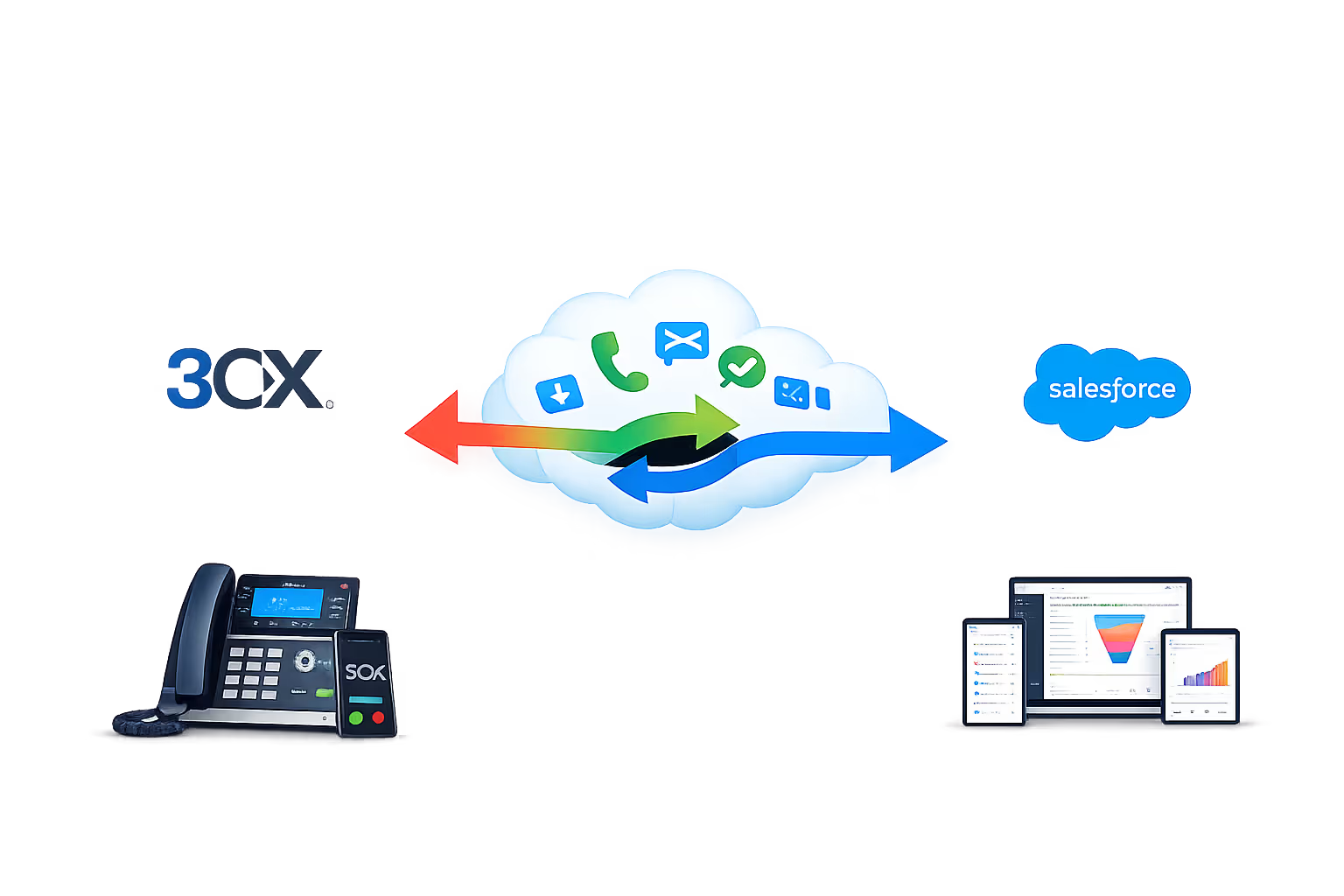
Key features of the Salesforce & 3CX integration
Every feature below works with 3CX: desk phones, 3CX Web Client, and the 3CX mobile app.
Automatic call logging
Every inbound and outbound call is automatically logged against the matching Salesforce contact, capturing timestamp, duration, direction, and outcome. No manual entry. No missed interactions.
Live screen pops on inbound calls
The moment a call arrives, Salesforce opens the caller's record, showing their details, tags, campaign history, and notes. Your team knows who's calling and why before they say a word.
Click-to-call from any Salesforce record
Dial any contact or lead directly from their Salesforce record with one click. No mis-dials, no copy-pasting, just click and the call connects through 3CX.
Caller identification for unknown numbers
When a call comes in from a number not yet in Salesforce, your team is alerted. A new contact can be created on the fly, or the number enriched while still on the call.
Call recordings linked to Salesforce
Recordings are attached to the call log in Salesforce. Managers can review conversations, resolve disputes, and coach your team, all without leaving the platform.
Task and follow-up creation
Create follow-up tasks, reminders, or callback notes in Salesforce directly from a call, so nothing is left to memory and every commitment is tracked.
Missed call alerts with Salesforce context
When a call is missed, your team gets an alert that includes the caller's Salesforce record, so they know immediately who it was and whether a quick callback is needed.
Works across office and remote staff
Whether your team is in the office, at home, or on the move, the integration works the same via 3CX web client and mobile app. Screen pops and call logging follow the user, not the desk.
Built for every role in your sales team
From consultants to operations: screen pops, call logging, and click-to-call work the same for everyone.
Sales reps and account executives
See contact and opportunity context the moment the phone rings. Click to call from the lead, contact, or opportunity record. Every call logged automatically, with no post-call admin.

SDRs and BDRs
Instantly see whether an inbound call is from a lead, an existing contact, or an account, and what they're linked to in Salesforce. Log calls and follow-ups without leaving the CRM.

Sales managers and team leads
Every call, discovery, and follow-up is logged against the right record. Missed calls are flagged with full Salesforce context so nothing slips.

Sales operations & management
See call activity inside Salesforce. Track who's being contacted, review recordings when needed, and keep pipeline and reporting accurate without chasing spreadsheets.
Trusted by UK businesses who take security seriously
Government-backed certification | In-house cyber specialists | Fast turnaround


"Before the integration, our team was spending the first few minutes of every call pulling up the right contact or opportunity in Salesforce. Now the screen pop shows who's calling before we answer. Call logging is automatic. We've easily saved each rep half an hour a day, and our Salesforce CRM is finally in sync with our calls."
Operations Director, UK business
Stats
How we performed in 2025
Based on typical results reported by staffing agencies after connecting 3CX to Salesforce
Client satisfaction score
First contact resolution
Average time to resolution
Experience
How we set it up: from demo to go-live
We handle the full integration. You don't need an in-house developer or IT team.
Discovery call (30 min)
We review your 3CX setup, your Zenoti usage (contacts, campaigns, workflows), and what you want to automate. We confirm compatibility and set a clear timeline.

Integration & configuration
We connect 3CX to Zenoti and configure screen pops, call logging fields, click-to-call, contact sync, and any task-creation rules.

Testing across all scenarios
We test inbound calls from known contacts, unknown numbers, missed calls, outbound calls, and remote/mobile, verifying every log entry in Zenoti before sign-off.

Training & handover
We walk your team through the new workflow. Most teams are confident within an hour. We provide a quick-reference guide for new starters.

Ongoing support
Our UK-based team is available after go-live. We monitor 3CX and Zenoti for updates that could affect the integration and handle them before they become your problem.

What you need to get started
The prerequisites are minimal. We'll confirm everything on the discovery call.
3CX phone system (on-premises, cloud, or 3CX StartUP)
Salesforce account with API or integration access
3CX Web Client or mobile app for click-to-call and screen pops (desk phones also supported)
Not yet on 3CX? We can supply and configure 3CX alongside the Salesforce integration as a single project. Get in touch to discuss.
Trusted by businesses across the UK
FAQ
Salesforce & 3CX phone system questions
Answers to the questions UK businesses ask us most about Salesforce & 3CX phone system integration.
Does Salesforce support phone system integration?
Yes. We connect Salesforce to your 3CX phone system through a custom integration, so every call links to the right record. You get real-time contact sync, automatic call logging, screen pops and click-to-call, with each call captured in Salesforce.
Which phone systems work with Salesforce?
We specialise in connecting 3CX to Salesforce, a pairing that suits busy sales teams. On a different phone system? Tell us what you run and we'll look at custom integration options.
Which Salesforce features does the integration support?
It works with your Salesforce leads, contacts, accounts and opportunities. We link screen pops, call logging and click-to-call to the records your team uses most, so everyone gets the same experience on every call.
How long does setup take?
Most Salesforce and 3CX integrations go live within one business day. We configure and test the whole thing, so it never turns into a big IT project for your team.
Will existing Salesforce data be affected?
No. The integration only adds new call logs and activity. Your existing Salesforce leads, contacts, accounts, opportunities and history stay exactly as they are.
Does it work for remote and mobile staff?
Yes. As long as your reps use the 3CX web client or mobile app, screen pops and call logging work the same from home or on the road. The integration follows the user, not the desk.
What if we change phone systems later?
Your Salesforce data and call history stay in Salesforce. If you ever move off 3CX, we'll help you reconnect a new phone system so you keep continuity.
Connect 3CX to Salesforce
0333 370 7000
Mon-Fri 8am-5pm
[email protected]
Response within 1 business day, guaranteed
United Kingdom
UK-based team, since 2012