One file runs the business
One spreadsheet or Access database runs an important part of the business.






One spreadsheet or Access database runs an important part of the business.

Only one or two people really understand how it works.
People worry about changing or breaking it.
Staff cannot easily use it away from the office.

Off-the-shelf software does not fit the way you work.
The same information gets entered more than once.
The solution
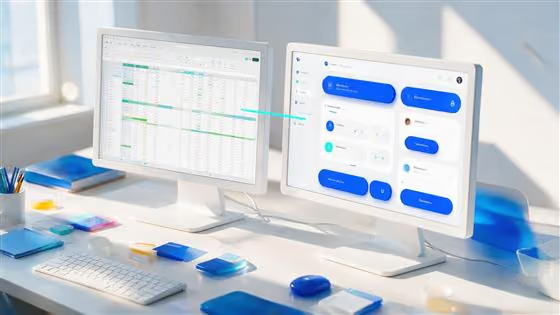
We start with the spreadsheet or database you already use. We work out what it does, what information it holds and the steps your team follows around it. Then we build a business app that does the same job more reliably. That can give you:
Clear screens instead of complicated tabs
Controlled access for different users
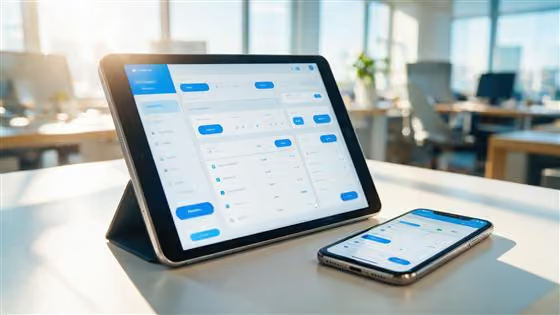
Access from phones, tablets and computers
Fewer opportunities to overwrite or delete something important
A record of changes
Your existing information carried across
A system that can change as your business changes

What we automate
Six starting points. Which one applies depends on what your business is running on today.
If an Excel file has become the system your business depends on, we look at which parts should stay in Excel and which would work better as an app. Sometimes Excel is still the right answer. If it is not, we will explain why.
An old Access database can keep working for years, even after the person who built it has left. We move the important information and processes into a modern Microsoft app. You keep the data, without the dependency on an ageing database.
Sometimes no ready-made system quite fits your business. We can give your team one clear place to store, update and find the information they need.
For where a standard CRM forces your team to change a process that already works well. The aim is not to build something complicated, it is to give your team a system that fits the job.
Replacing an old system does not mean starting again. We work out what needs to move, what can be left behind and which existing rules still matter.
A new system is not much use if your important information is still trapped in the old one. Moving and checking the data is part of the project, tested with you before the old system is retired.
What we automate
Replacing an old system does not mean starting again. With legacy system migration, we first work out:
The information the business still depends on.
Old records nobody needs to carry into a new system.
Anything that needs cleaning before it is moved across.
The logic your team relies on, including the exceptions.
What should work differently", "body": "The parts worth improving rather than copying across as they are.

Send us the real one, with the workarounds and the tab nobody uses any more. Show us what it does and we will tell you whether it is worth replacing.
To clean up or reorganise the file first
To write down how it works
To know whether it should become an app
To decide anything about software or licences
Whether it is worth replacing at all
Which parts would work better as an app
Which parts should stay in Excel
What a sensible replacement could look like
Reports taking too long? Dashboards messy?
Make every decision data-driven.
Custom dashboards, KPI tracking, automated reporting, and board-ready insights. Ask our inhouse Power Apps expert about our comprehensive BI consultancy services and level up how you run your business.

Three stages, starting with the file you actually use rather than a tidied-up version of it.
Send us the spreadsheet or show us the database. We want to see the real one, not a cleaned-up version.

We work out what it does, including the manual fixes and exceptions your team has learned over the years. Then we build the replacement and test it using your information.
Your team sees the new system working with real information before they have to rely on it. We move the data, help your team get started and support the app afterwards.
Why Intouch?

FAQ
Answers to the questions UK businesses ask us most about the custom business apps & spreadsheet.
Power Apps is Microsoft's low-code platform for building custom business apps for web and mobile. Teams use it to retire spreadsheets, paper forms and manual processes, replacing them with secure, connected apps that don't need a full software project to build.
No. Power Apps is low-code, so most of an app is built visually by dragging pieces into place. We take care of the advanced logic and integrations, then show your team how to make everyday changes themselves.
Yes. We regularly turn shared spreadsheets into proper multi-user apps with validation, security and built-in reporting. Your data stays accurate and everyone works from the same records instead of emailing versions around.
Yes. Power Apps run on phones and tablets, and we can build them to keep working with no signal out in the field, then sync automatically once a connection returns.
Power Apps stores its data in Microsoft Dataverse and connects to Microsoft 365, SharePoint, Teams, SQL, Dynamics 365, Salesforce and hundreds of other sources. For anything bespoke, we build custom connectors and link to your systems through their APIs.
A focused first app can be live in a few weeks. We agree the scope and timeline up front and deliver in phases, so you get something useful in your hands early rather than waiting months.
Yes. Intouch Tech is a UK Power Apps consultancy and Microsoft Solutions Partner based in Fleet, Hampshire. We support businesses in London, Fleet and across the UK.